Operators · Screen guide
Organisation settings
Deep-linkable sections at #/{orgSlug}/settings/{section}. Change branding and booking mode before you publish the public form.
Organization (profile)
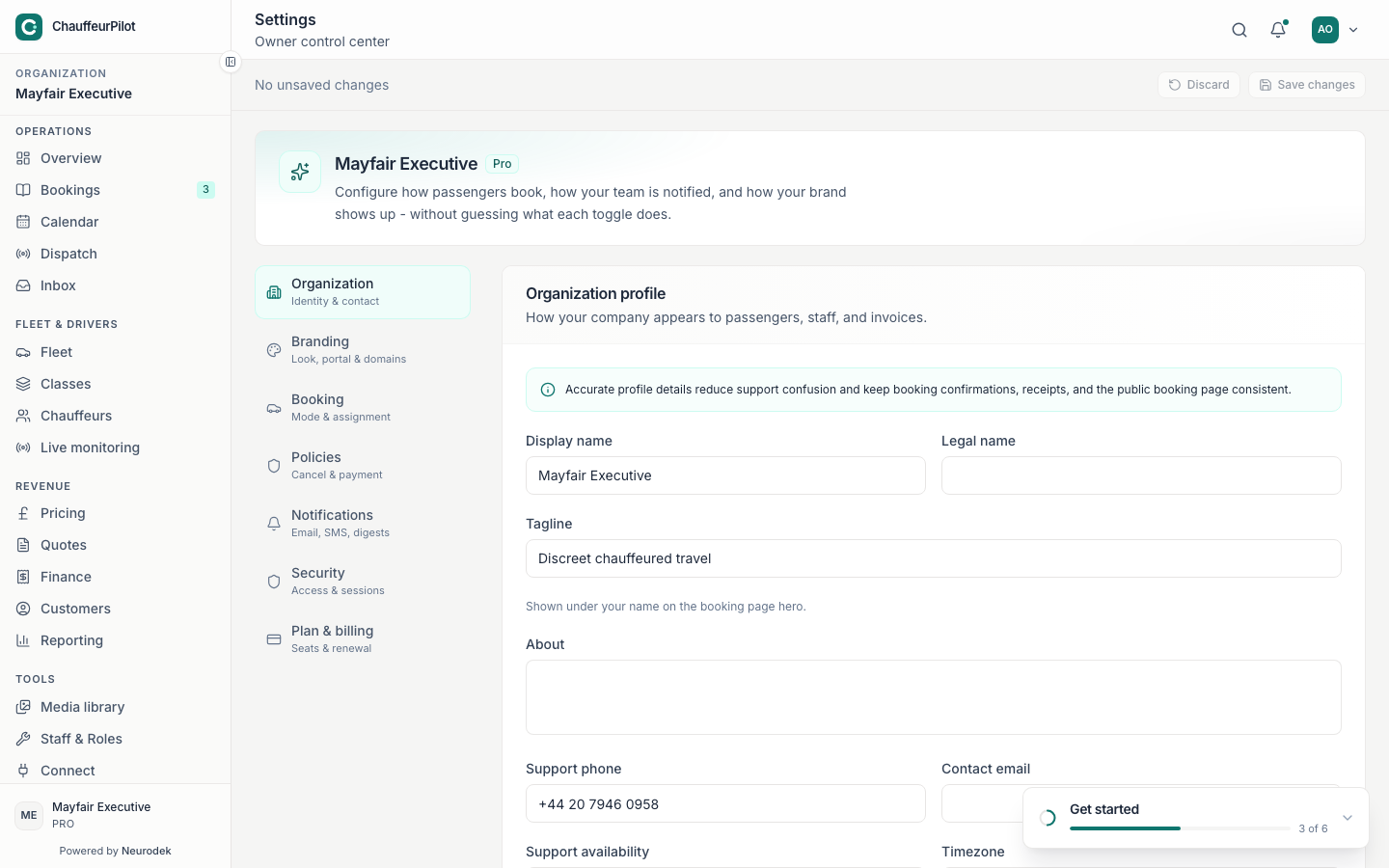
- Organisation name
- Legal / trading name shown in the console and often on invoices / portal.
- Timezone
- Europe/London and other IANA zones. Drives “today” on Overview, Bookings, Calendar, Dispatch. Leaving US Eastern on a UK fleet — every “Today” view is wrong.
- Support contact / hours
- Shown to passengers where portal support is enabled (24/7, business hours, weekdays only).
- Slug (public identity)
- Powers embed URLs
/book/{slug}. Changing slug breaks old links — coordinate with Builder publish.
Branding
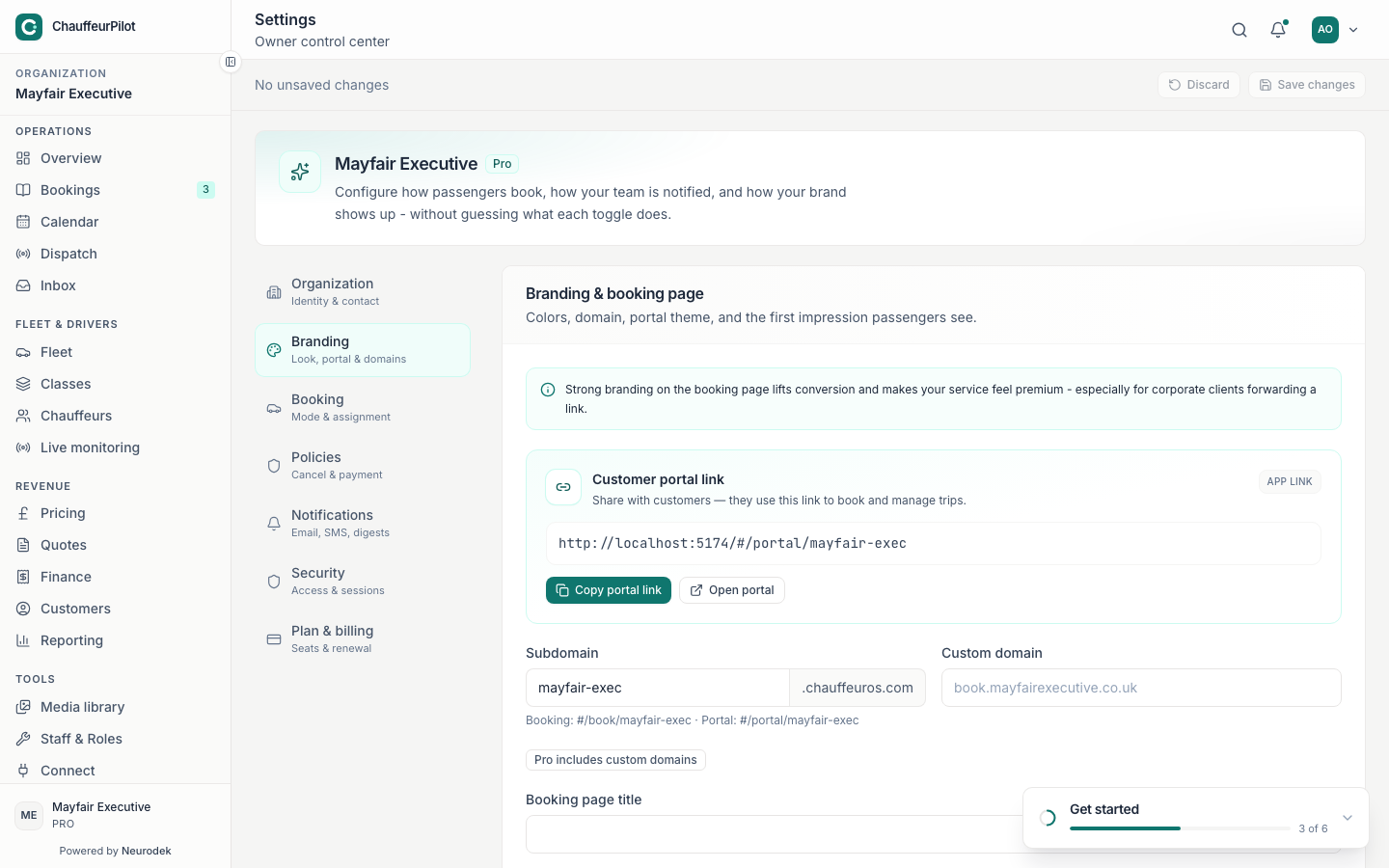
- Logo upload
- Console + portal + embed header treatments depending on Builder theme.
- Accent / brand colours
- Tokens consumed by portal and booking form. Prefer contrast that stays readable on light canvases.
- Portal & custom domains
- Hostnames for passenger portal. DNS must point correctly before enabling. Finish slug + logo before sharing the public book link.
Booking
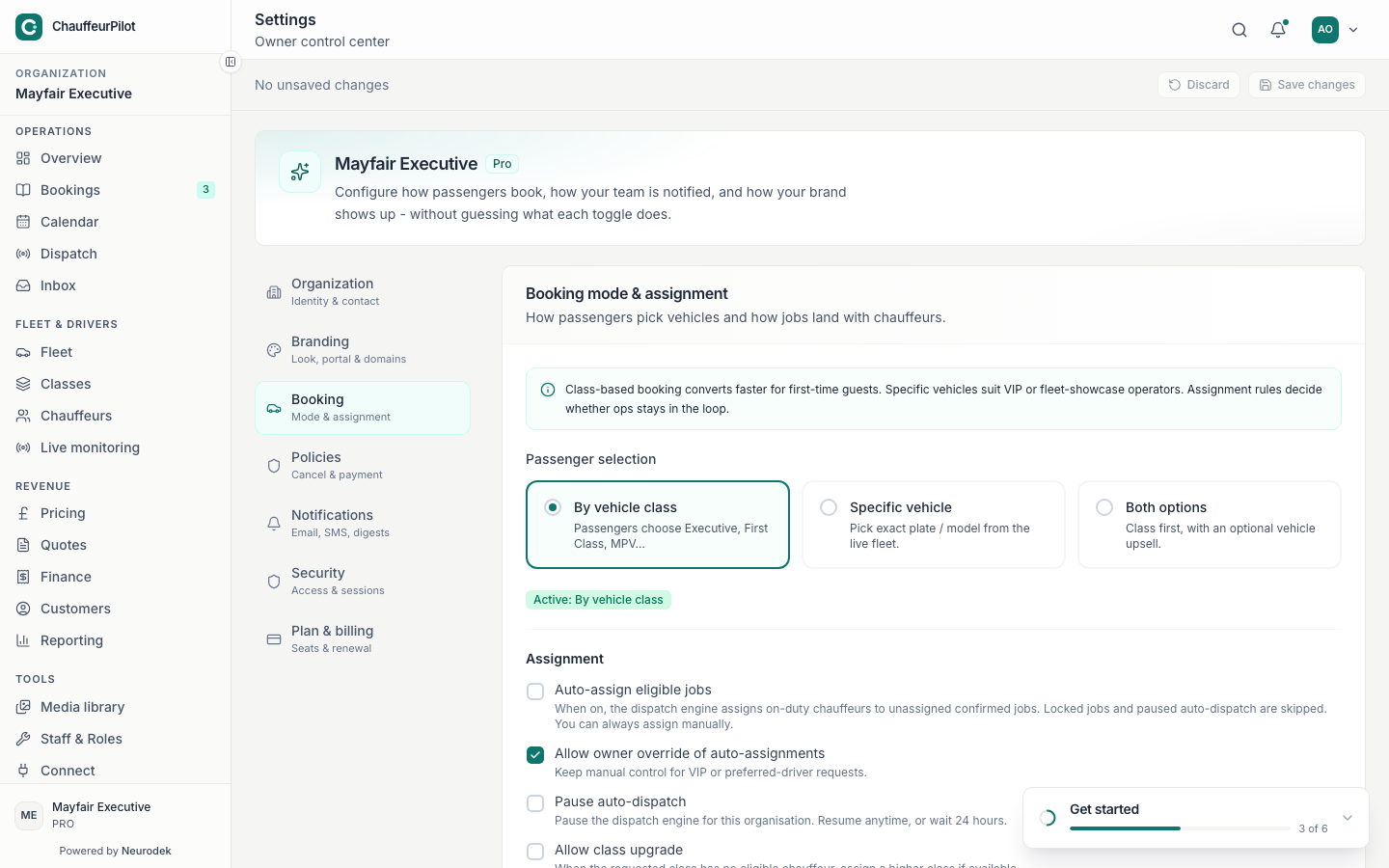
- Assignment mode
- How new jobs land: manual assign vs auto-suggest vs stricter auto-assign (per plan). Start manual until chauffeurs are on duty reliably; then tighten automation.
- Confirmation rules
- Whether bookings need operator confirmation before chauffeur notification.
- Default lead times / buffers
- Minimum notice and turnaround assumptions for the public form where configured.
Policies
- Cancellation policy
- Windows and fees communicated to passengers; ops still follow product rules (e.g. completed cannot cancel).
- Payment policy
- Deposit vs pay-later vs card-on-file expectations for the book funnel. Publishing a form that requires card while Stripe is disconnected — check Connect / billing.
Notifications
- Email / SMS toggles
- Passenger and chauffeur message types (confirmation, en route, completed, etc.).
- Ops digests
- Scheduled summaries for unassigned / failed payments when enabled.
- Sender identity
- From-name / reply-to where the plan allows customisation.
Security
- Session length
- 1h / 4h / 8h / 24h options for staff console sessions.
- Staff access
- Invite / revoke operators. Prefer least privilege for contractors.
- Password / magic link behaviour
- Aligns with login troubleshooting — wrong host still fails even with a valid link.
Plan & billing
- Current plan
- Starter / Growth / Pro labels and included seats.
- Seats & renewal
- Manage quantity and renewal; payment method updates go through the billing portal when linked.
- Invoices for SaaS subscription
- Separate from passenger trip invoices under Finance.