Operators · How-to
Builder & public booking form
Customise the public booker at #/{orgSlug}/builder. Published snippets must point at the embed origin — never the operator app host.
Builder canvas
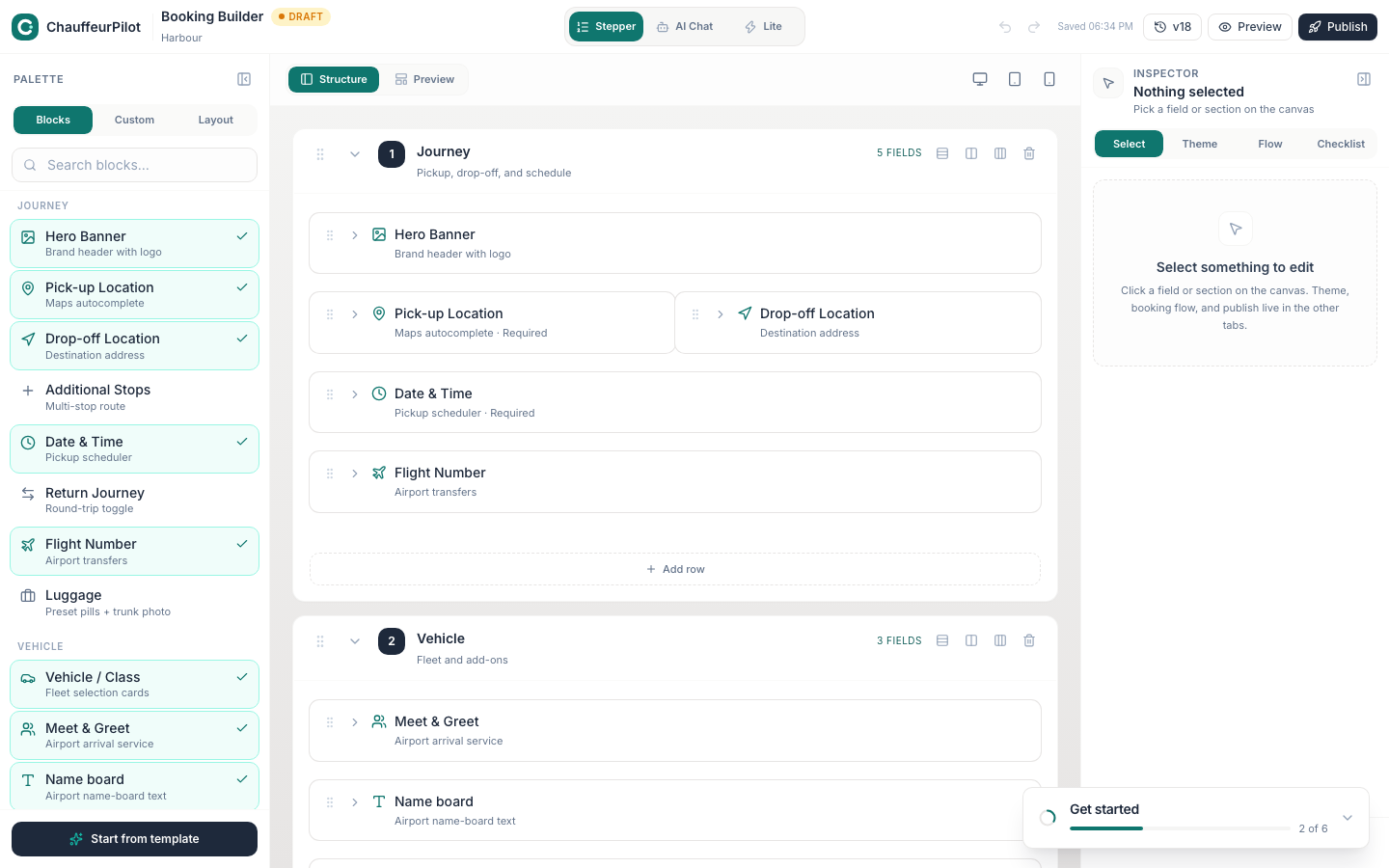
- Layout mode
- Full stepper, lite, or AI chat (when enabled on the plan). Changes how customers move through Journey → Vehicle → Passenger → Checkout.
- Sections / steps toggles
- Show or hide optional blocks (flight fields, notes, return trip, etc.). Keep the first step lean — every extra field drops completion rate.
- Branding tokens
- Pulls from Settings → Branding; Builder may override local theme chips for the form only.
- Preview
- In-console preview of the customer path. Still smoke-test on the real embed host.
Slug & hosts
- Organisation slug
- Powers
https://embed.chauffeurpilot.com/book/{org-slug}and local#/book/{orgSlug}.
Embedding the app host URL — cookies and CORS will not behave like a public widget.
- Hosted book URL
- Shareable link for websites and QR codes without iframe work.
Publish & snippets
- Publish
- Commits the builder config customers will see.
- iframe snippet
- Copy/paste for partner sites. Points at embed origin with your slug.
- embed.js loader
https://embed.chauffeurpilot.com/embed.js— injects the widget without a raw iframe.- Session isolation
- Public booking does not send admin session cookies — test in a private window.
Smoke-test the funnel
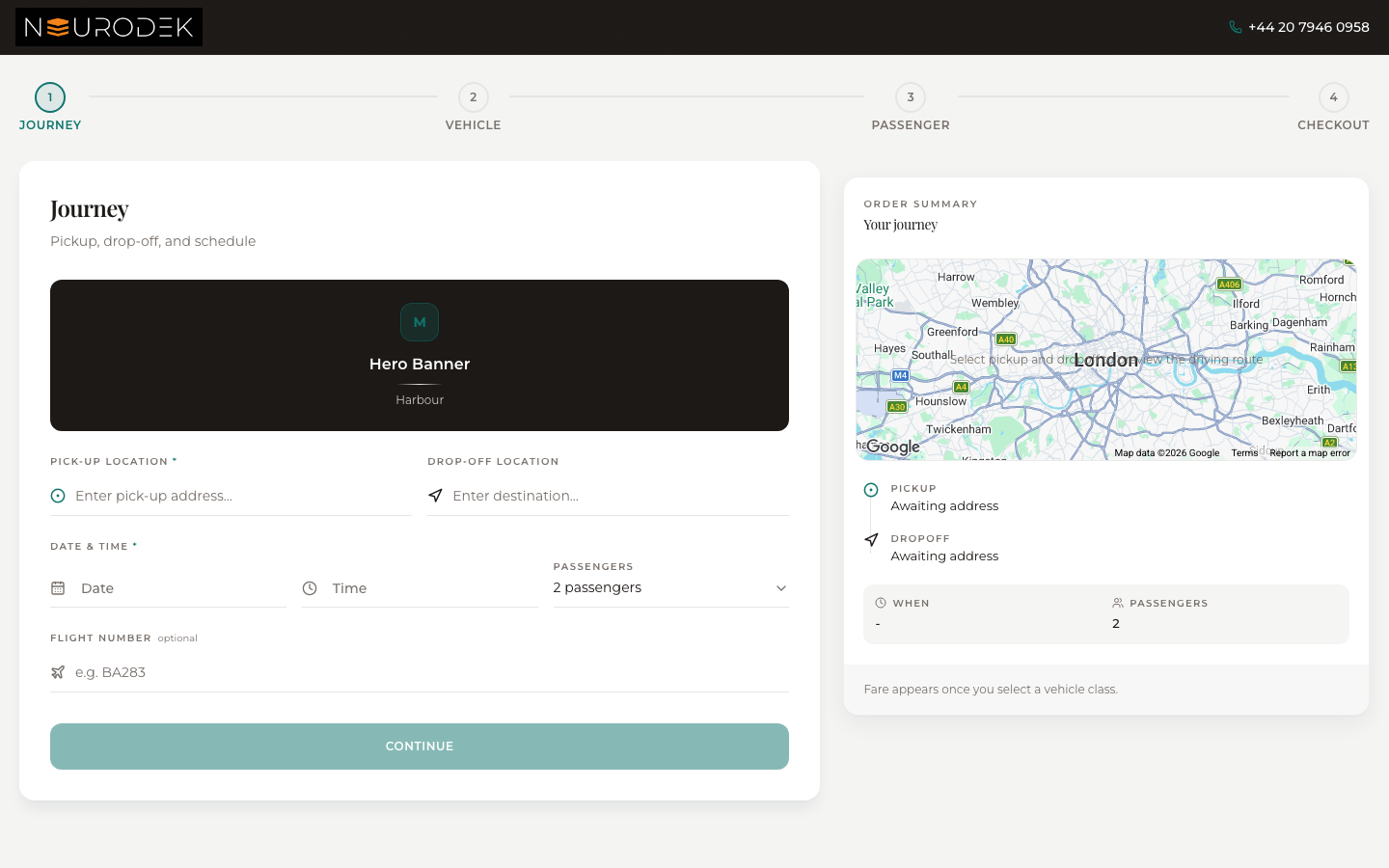
- Journey
- Pickup, dropoff, date/time, optional flight / return.
- Vehicle
- Bookable classes with published prices. Empty list usually means pricing not published or no bookable classes.
- Passenger
- Contact details for confirmations.
- Checkout
- Pay or request per Settings → Policies / Booking. Confirm the job appears in Bookings / Dispatch.
Pricing must be published or quotes stay empty — see Pricing.