Operators · Screen guide
Quotes, finance & reporting
Quotes can be accepted on a public link. Finance covers trip invoices; Reporting exports period data for ops review.
Quotes
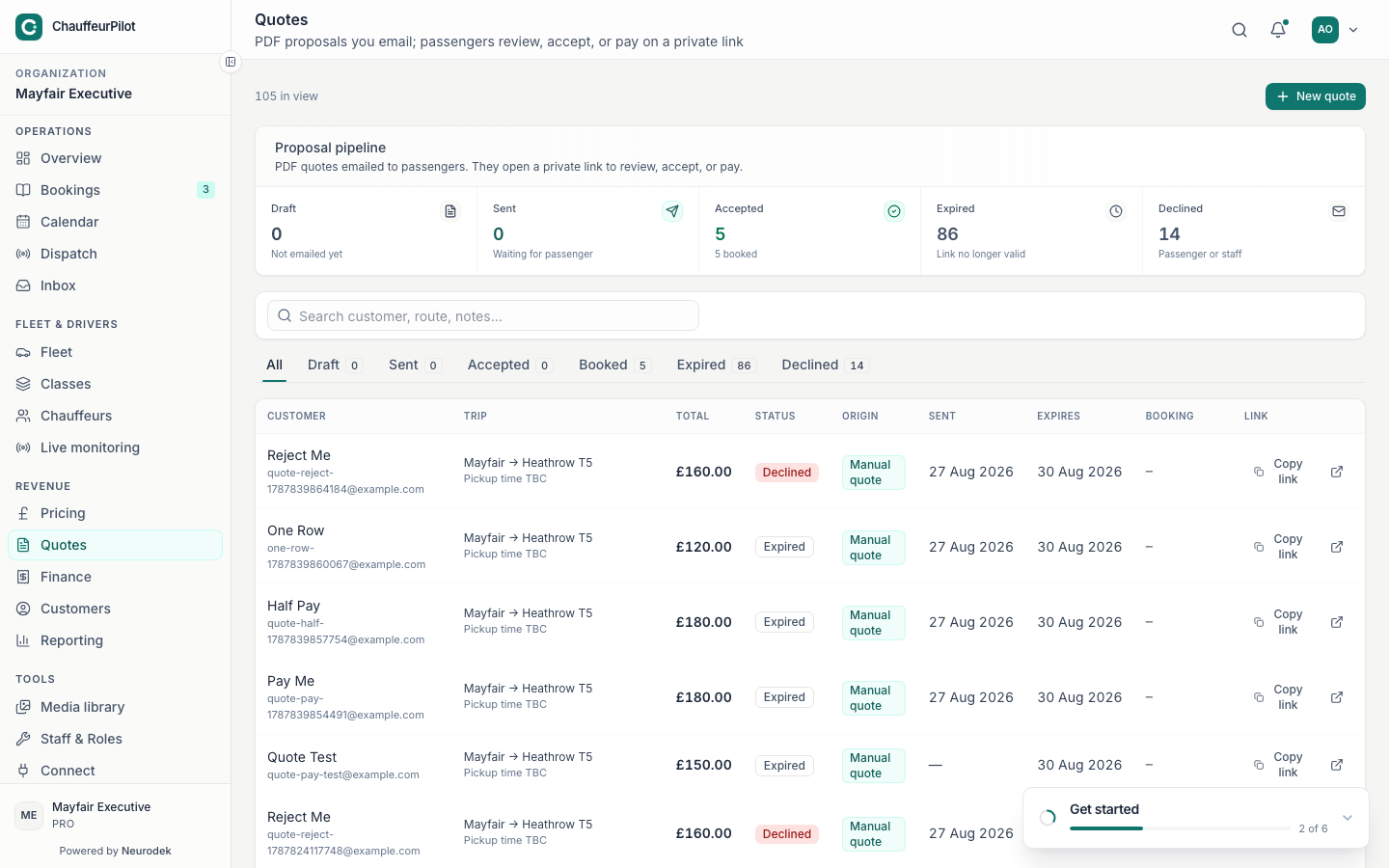
- New quote
- Build trip + class; engine uses published pricing (Simulator can preview draft separately).
- Status filters
- Draft / sent / accepted / expired / declined.
- Send
- Emails the customer a public
#/quote/{token}accept link. - Copy public link
- Share via WhatsApp/SMS when email is wrong channel. Editing price after send without re-sending — customer still sees the old token payload until refreshed/reissued.
- Convert / booking link
- Accepted quotes become bookings you can assign like any other job.
Finance / invoices
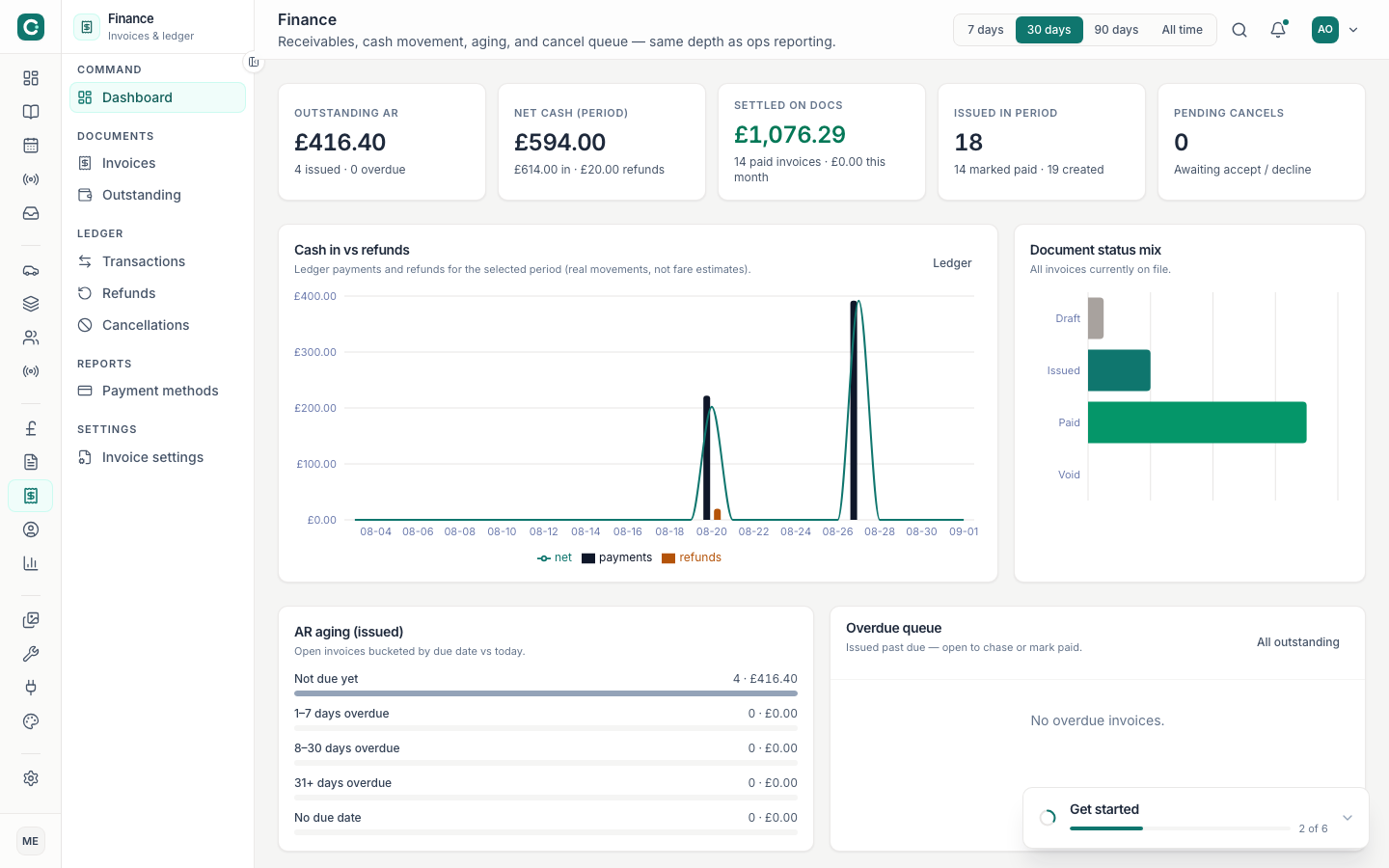
- Invoice list
- Payable / paid / overdue filters for trip invoices (not SaaS subscription invoices).
- Open invoice
- Line items, booking reference, customer, payment attempts.
- Public pay link
#/invoice/{token}for card payment when Stripe/Connect is configured.- Mark paid / void
- Manual settlement for bank transfer or goodwill voids — use carefully for audit trails.
Reporting
- Period picker
- Align with Overview windows when reconciling utilisation vs revenue.
- Export
- CSV/download for accountants or external BI.
- Ops review metrics
- Completed trips, cancellations, average value — wording varies by plan.