Operators · Screen guide
Chauffeurs, fleet & classes
Fleet readiness blocks assignment. Invite chauffeurs early so document review is not on the critical path for launch day.
Chauffeurs
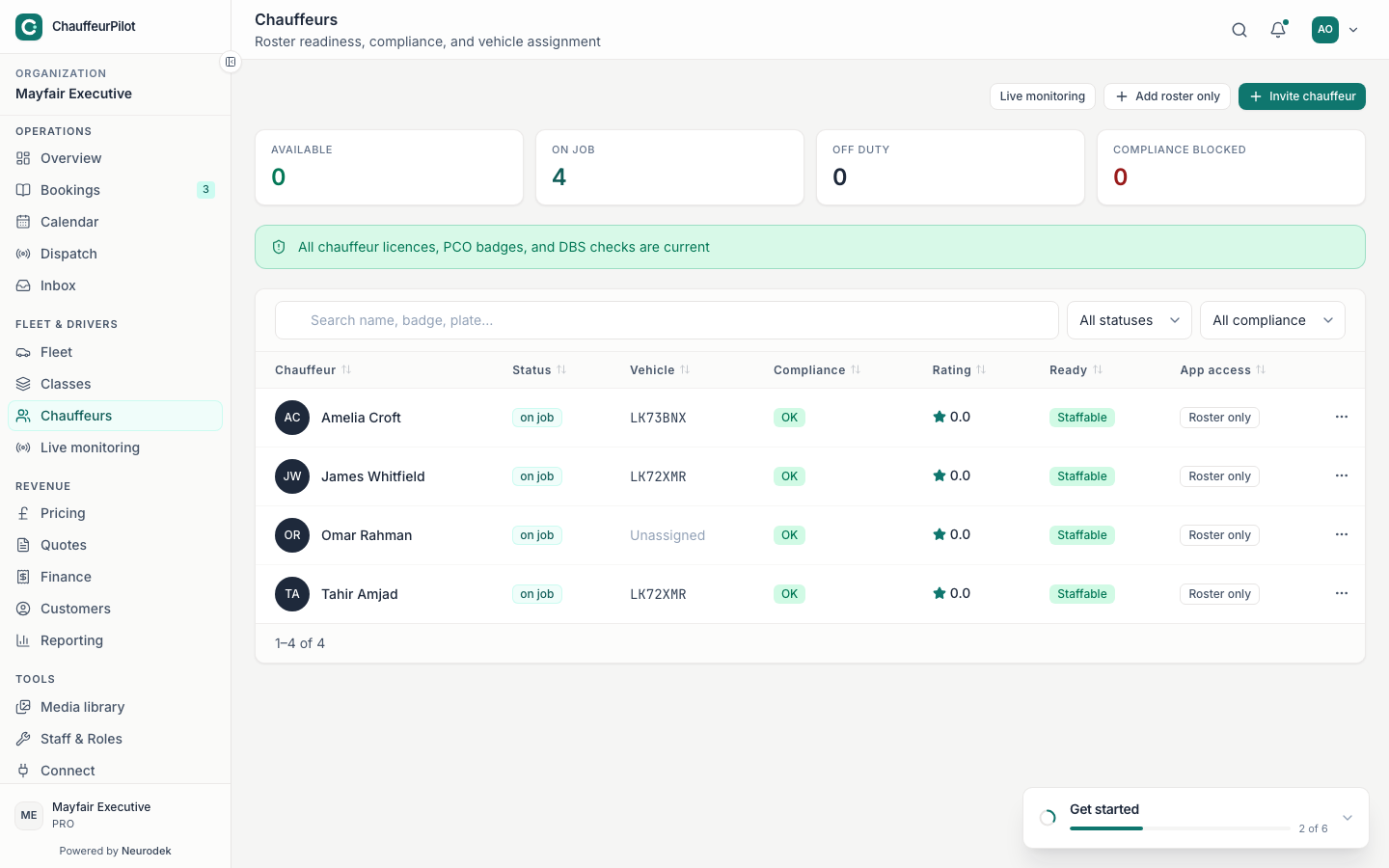
- Invite by email
- Sends driver-app onboarding. They finish docs in the native app, not the ops console.
- Search / status filters
- Find invited, active, suspended, or docs-pending chauffeurs.
- Compliance / docs status
- License and vehicle document state. Until approved, dispatch should not treat them as available. Assigning a docs-blocked chauffeur — job may not unlock on Today.
- Open chauffeur profile
- Contact, linked vehicle, duty history, approve/reject documents.
- Suspend / reactivate
- Removes from assignable pool without deleting history.
Fleet vehicles
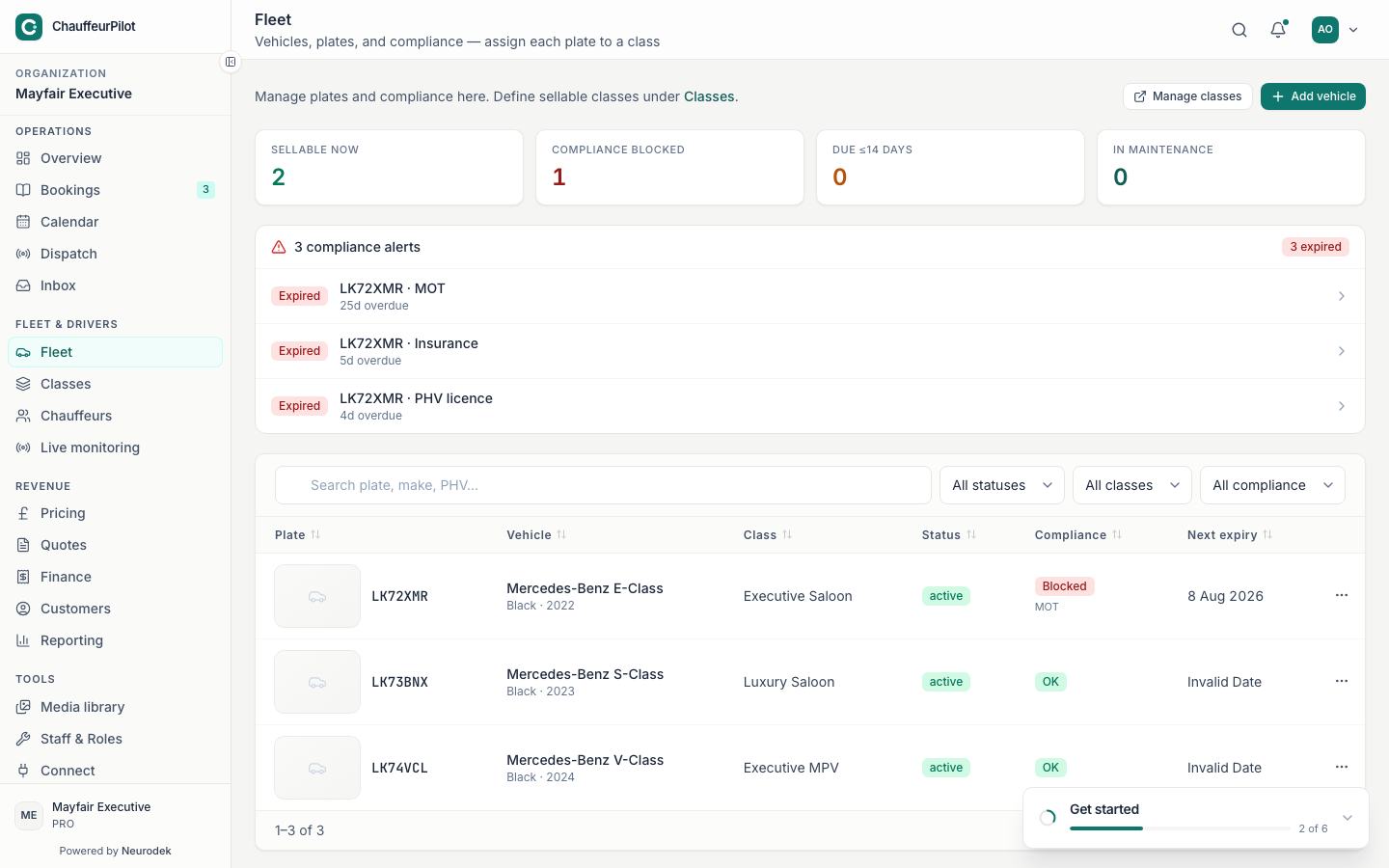
- Add vehicle
- Plate, make/model, colour, and class linkage.
- Vehicle class
- Must match a class used in Pricing. Wrong class → wrong public quotes and assign filters.
- Compliance fields
- Insurance / PHV / MOT style fields per region — keep current for audits.
- Active toggle
- Inactive vehicles drop out of assignable fleet.
Vehicle classes
- Class list / Add class
- Capacity, display name, description. Creates the package Pricing rates attach to.
- Bookable online
- Also editable from Pricing → Classes. Controls public form visibility.
- Pricing gaps
- Classes with no mileage/airport bands show on Pricing overview — fix bands before go-live.